Height Map Generator
Turn any photo or texture into a height map, white for high and black for low. AI reads the shape of the surface instead of its brightness, so stains and shadows stay flat. Download a 16-bit PNG for displacement, parallax and terrain in Blender, Unreal and Unity.
Sample: Stone
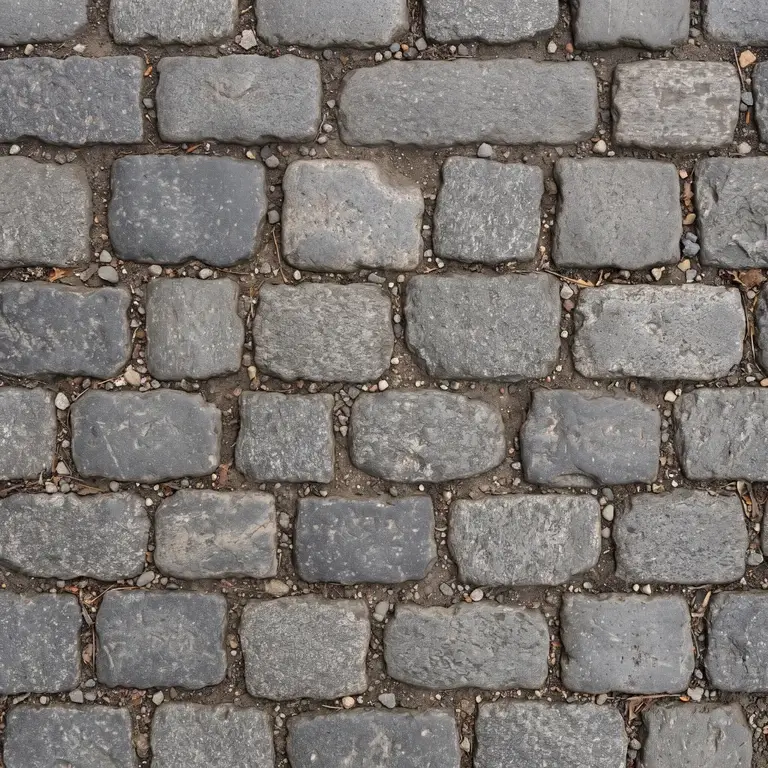
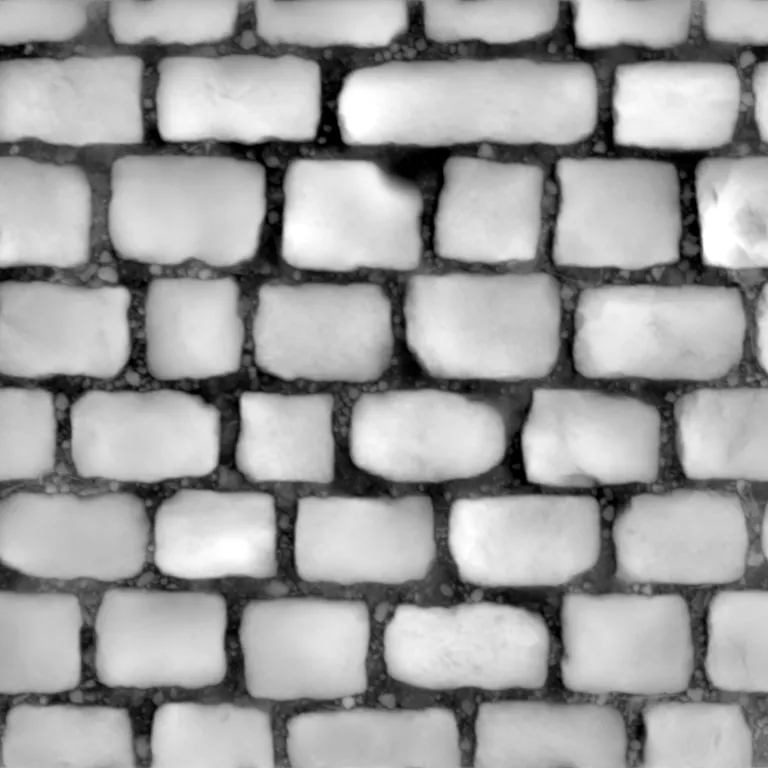
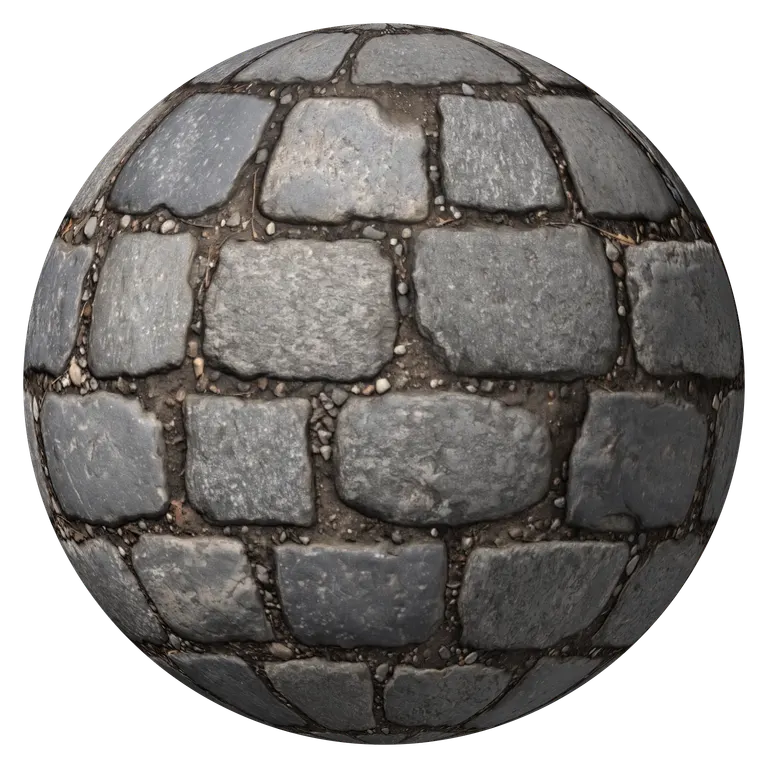
Detail, roughness, AO and single-map downloads
Bump detail
Roughness and AO
Download one map
AI photo mode: shape read from the photo, shadows stay shadowsRuns in your browser. Images never leave your device.
An AI Height Map Generator That Reads Shape, Not Brightness
Most height map generators copy the brightness of the photo, so pale mortar comes out high and dark bricks come out low. Drag the line across this brick wall to compare. The AI height map rises on every brick and drops into every joint, while brightness follows the colors.
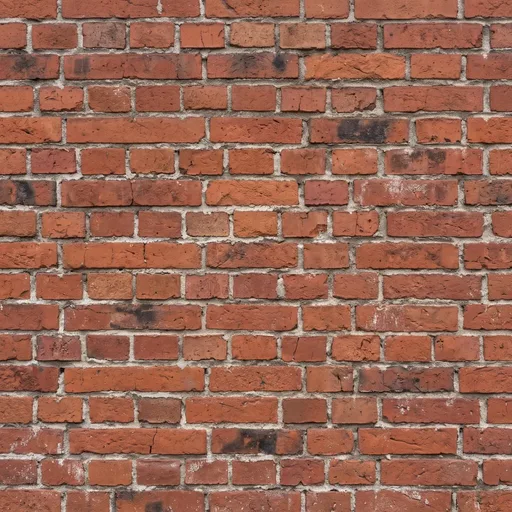
- AI photo mode
- Brightness as height
What Is a Height Map?
Grayscale depth, one value per pixel
A height map is a grayscale image that stores how high the surface is at every pixel: white is the highest point, black the lowest and mid gray sits halfway. Renderers read it to push vertices out as displacement, game engines use it for parallax and terrain, and a normal map is built from its slopes. A height map generator makes one from a photo, so you skip sculpting it by hand.
- White is high, black is low, gray in between
- One channel, so 16 bits per pixel keep slopes smooth
- The source of normal, bump, displacement and AO maps
Height Map vs Normal Map
Both describe the same bumps. The height map stores how high each point is, the normal map stores which way it faces. The height map generator gives you both from one image.
Looks like
- Height map
- Grayscale, white is high
- Normal map
- Purple blue, colors show slope direction
Stores
- Height map
- Height per pixel
- Normal map
- Surface direction per pixel (X, Y, Z)
Moves geometry
- Height map
- Yes, as a displacement map
- Normal map
- No, only changes the lighting
Used for
- Height map
- Displacement, parallax, terrain, bump
- Normal map
- Real-time detail in game engines
Best format
- Height map
- 16-bit PNG
- Normal map
- 8-bit PNG, OpenGL or DirectX
| Height map | Normal map | |
|---|---|---|
| Looks like | Grayscale, white is high | Purple blue, colors show slope direction |
| Stores | Height per pixel | Surface direction per pixel (X, Y, Z) |
| Moves geometry | Yes, as a displacement map | No, only changes the lighting |
| Used for | Displacement, parallax, terrain, bump | Real-time detail in game engines |
| Best format | 16-bit PNG | 8-bit PNG, OpenGL or DirectX |
16-bit Height Maps without Stair Steps
An 8-bit PNG has 256 gray levels. Stretch them over a deep displacement and each level turns into a visible step, the terracing that ruins smooth slopes. A 16-bit PNG has 65,536 levels. Here is the same smooth hill saved both ways and lit from the side. Every map from this height map generator downloads as 16-bit.
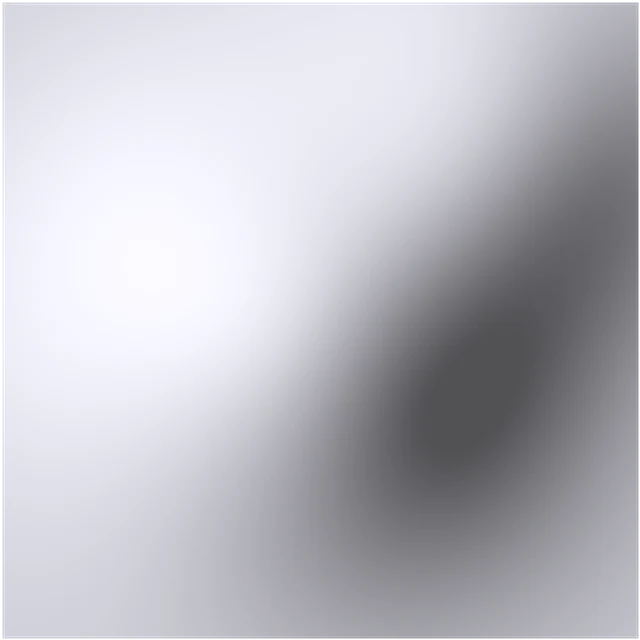 8-bit16-bit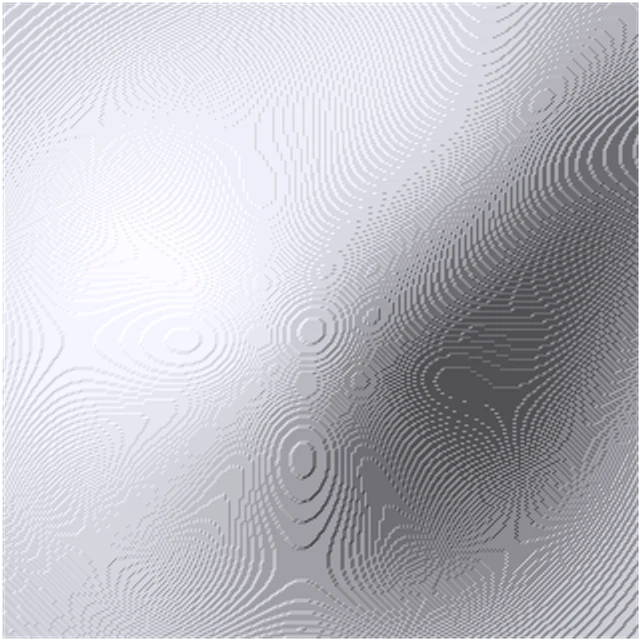
Use Your Height Map in Blender, Unreal and Unity
The 16-bit PNG works anywhere a grayscale height is accepted. Load it as non-color data so the renderer reads the values as they are.
Blender
Image Texture set to Non-Color, into the Height input of a Displacement node, into the Displacement socket of the Material Output. In Cycles, set the material to Displacement and Bump and subdivide the mesh.
Displacement node · Non-ColorUnreal Engine
Import it as a landscape heightmap for a terrain patch, or feed it to the Parallax Occlusion Mapping node for depth on a flat wall. Untick sRGB on the texture.
Landscape · Parallax OcclusionUnity
Put it in the Height Map slot of a URP Lit or Standard material for parallax, or use it as the height map of an HDRP Lit material with displacement turned on.
Height Map slot · ParallaxTerrain and sculpting
Rocks, sand, bark and ground photos become terrain stamps and sculpting alphas for Gaea, World Machine or ZBrush. The shape comes from the photo, not from real elevation data.
Stamps · Alphas
How to Make a Height Map from an Image
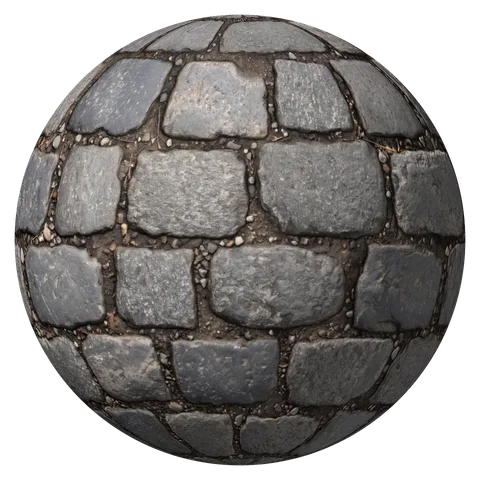
From any photo to a 16-bit height map in four steps. The cobblestone sample is already open in the height map generator, so you can test every setting first.
- 1
Open a photo of the surface
Upload, drop or paste a photo or texture, or take one with your phone camera. Several images at once make a batch.
- 2
Let AI read the shape
AI photo mode reads the surface of a real photo. Switch to image mode for a scan or texture where bright already means high.
- 3
Set depth and detail
Strength sets the depth. Large, Medium and Fine balance big shapes against small grain. In image mode, Invert height flips high and low.
- 4
Download the 16-bit PNG
Save the height map as a 16-bit grayscale PNG, or take the ZIP with normal, roughness and AO maps made from the same shape.
Height Map Generator FAQ
Yes. Take the photo straight on in soft light and open it in the height map generator. AI photo mode predicts the shape of the surface from the photo, so the height map follows real bumps and gaps instead of light and dark colors.
White is high and black is low. Blender, Unreal Engine, Unity and Godot all read height maps that way, and the downloaded file follows it.
For displacement and terrain, yes. An 8-bit file has 256 levels and shows stair steps on smooth slopes once the depth is large. For a small bump or parallax effect, 8-bit is enough, but 16-bit costs nothing extra here.
Yes for terrain shapes from an image: rock faces, sand ripples, mud or a ground texture become a 16-bit heightmap for a landscape or a terrain stamp. The map holds the shape in the photo, not real elevation. For a real mountain or city you need elevation data of that place.
Desaturate the photo, raise the contrast with Levels until the high parts are white, and blur away fine noise. That is brightness as height, so dark stains turn into holes and pale gaps into ridges. The height map generator does it in one step and reads the shape with AI instead.
The default is 1K (1024 pixels), fast on any device. Switch to 2K under Detail for close-ups and large terrain patches. Photos larger than 2048 pixels are scaled down to that size.
Yes, 16-bit export included. The height map generator has no sign-up, no watermark and no limit, and it runs in your browser, so your images never leave your device.
Make Your Height Map Now
Drop in a photo and get a 16-bit height map, plus normal, roughness and AO maps from the same shape. Free, in your browser.
Upload an image